Procurement teams don’t usually struggle because of missing features. They struggle because of the hundreds of small, repetitive tasks that slow purchasing down every day.
According to industry research, procurement teams continue to spend a significant portion of their time on transactional activities instead of strategic sourcing and supplier collaboration. As organizations look to improve efficiency without increasing headcount, every reduction in manual effort has a measurable impact on productivity and procurement performance. Oracle Fusion Cloud Procurement 26C addresses these everyday challenges. Instead of introducing a long list of entirely new modules, this release focuses on making purchasing faster, simpler, and more intelligent.
In this blog, we’ll explore the most impactful changes in Oracle Procurement 26C, including the new AI capabilities, Redwood interface improvements, purchasing enhancements, administrator controls, and the fixes that procurement teams should understand before their 26C environment goes live.
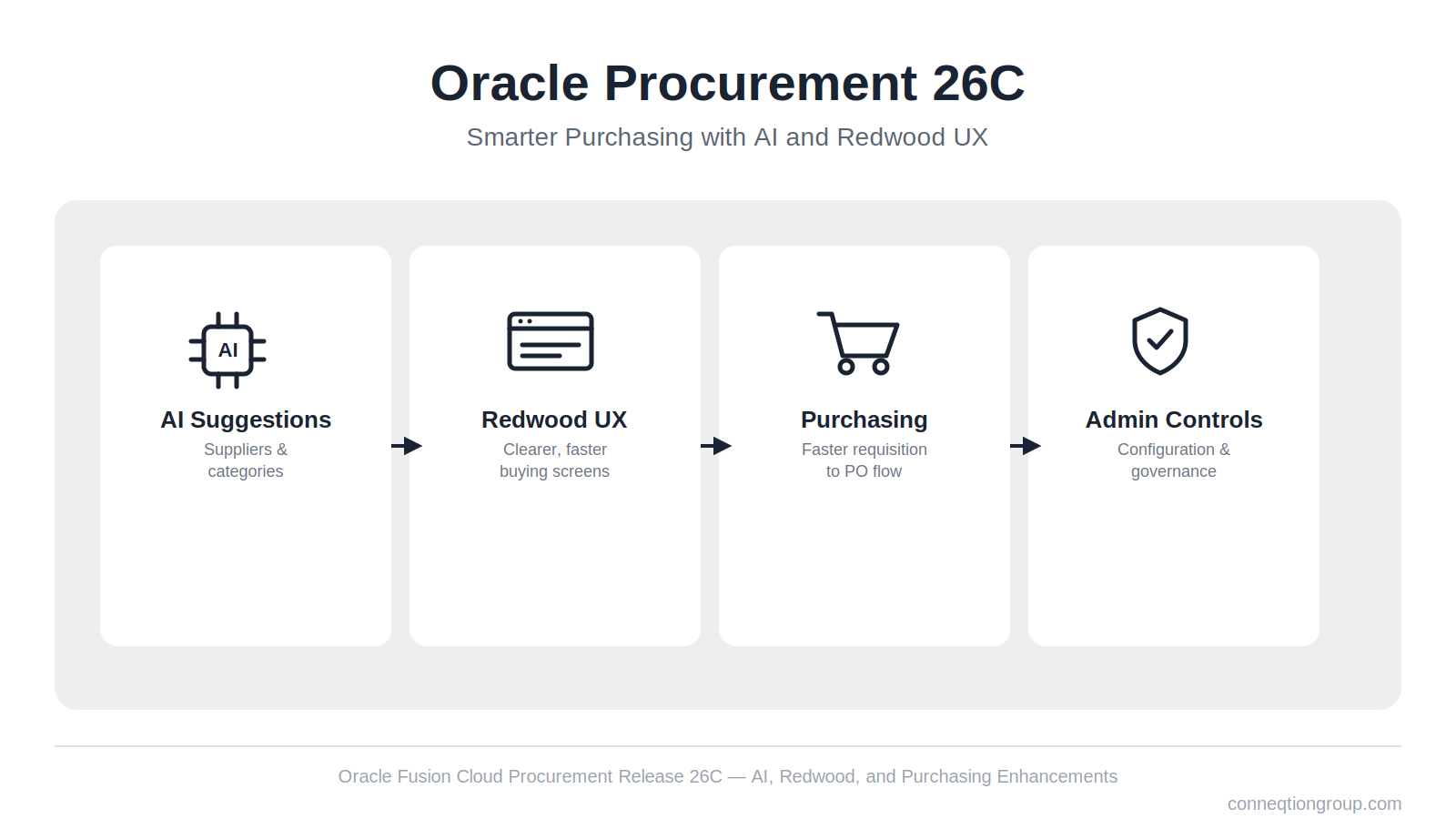
Key Features of Oracle 26C in Procurement
1. AI Moves into the Buying Workflow
The two AI features in 26C both target the same problem manual work that happens after a requisition exists but before a purchase order gets created.
- Suggest alternate suppliers in staged documents puts AI to work when requisition lines are being turned into purchase orders. Instead of a buyer relying on memory or habit to pick a supplier, the AI ranks suppliers using the organization’s own transaction history and surfaces the best-fit options directly on staged documents. Lines where the AI cannot find a confident match are grouped separately as “Lines Not Covered,” so buyers know exactly which lines still need a manual look instead of second-guessing the whole batch.
- Category suggestions for description-based lines solves a different but related problem: free-text requisition lines that never get properly categorized. The Suggest Category action reads a line’s description, checks it against historical purchasing data, and recommends the best-fit category automatically. The result is better spending classification with far less manual entry, which matters for any organization trying to get clean spend visibility out of Oracle without forcing requesters to know the category taxonomy by heart.
Neither feature replaces the buyer’s judgment. Both are designed to narrow the decision down to a short, defensible list so the person doing the work spends less time searching and more time deciding.
2. Redwood Screens Get Smarter and Clearer
Several 26C updates focus on the buying and receiving experience inside Redwood pages, closing gaps that show up the moment teams start using the new screens for real transaction volume rather than pilot testing.
- Editing charge account segments on multiple PO schedules is now a bulk operation. Buyers can update cost center and natural account across several selected schedules at once, and the system will split partially delivered or billed distributions so only the unprocessed remainder is affected. This removes a repetitive, line-by-line workaround that previously made large POs painful to correct.
- Restricting deliver-to locations to valid delivery sites addresses a long-standing data quality issue. Only genuine deliver-to sites now appear when users are creating requisitions and purchase orders, while billing-only or shipping-only sites are excluded from that list. Existing documents keep their current locations, so this is a forward-looking fix rather than a retroactive cleanup, and it directly reduces the chance of a requester accidentally routing goods to the wrong site.
- Reviewing B2B account numbers alongside location and supplier detail makes troubleshooting faster. The supplier information drawer on Redwood pages now surfaces the B2B account number along with richer supplier, ship-to, bill-to, and deliver-to details in one place, instead of requiring users to cross-reference multiple screens to confirm the same transaction.
3. Agreements and Buyer Tools Get an Upgrade
Purchase agreements and the buyer’s day-to-day toolkit see several practical improvements in 26C.
- BPA lines now display the latest item and category descriptions pulled live from the item master, in the user’s session language, rather than showing the values that were frozen at the time the agreement line was created. For organizations that update item data centrally in Product Information Management, this keeps blanket purchase agreements visually in sync with what the rest of the system considers current, instead of quietly drifting out of date.
- Communicating agreements to multiple email recipients is now supported directly. When a purchase agreement or change order is issued, buyers can copy internal stakeholders and additional supplier contacts on the same email, rather than manually forwarding confirmations after the fact or missing a stakeholder who needed visibility.
- Cancelling approved work confirmations gives buyers a cleaner way to correct mistakes. If a work confirmation was approved incorrectly, buyers can now cancel it directly, and the system automatically reverses the received quantity or amount. Previously, unwinding an approved confirmation required more manual correction across related records.
4. More Control for Administrators
26C also hands administrators more precise control over how purchasing behaves behind the scenes.
- Buyer assignment rules and approved supplier list statuses move into Redwood pages, where administrators can create, test, and manage buyer-routing rules using criteria such as business unit, commodity, project, cost center, supplier, and line amount. These rules can also be managed in a spreadsheet, which matters for organizations with dozens of routing conditions that are easier to maintain in bulk than one at a time in the UI.
- Default document styles via extensibility let administrators set a default document style for the New PO drawer, the New Agreement drawer, and staged documents. The style is applied once, at creation, which reduces inconsistency across buyers who might otherwise each pick a different default.
- Auto-populating descriptive flexfields from backing requisitions closes a gap that previously only worked for standalone purchase orders. Reference parameters, including Project DFFs, now populate descriptive flexfields on purchase orders created from a backing requisition, not just POs created from scratch. That is a meaningful fix for project-driven organizations where flexfield data needs to flow through consistently from requisition to PO.
4 Bug Fixes That Change How Purchasing Works
Bug fixes rarely make headlines, but four in 26C change actual system behaviour enough that procurement and finance teams should be aware of them before the update lands.
- Funds liquidation for past and future-dated change orders now follows budget date rules instead of current date rules, controlled through the enhanced ORA_PO_CO_BUDGET_DATE_FOR_LIQ profile option. Final Close and Cancel transactions are excluded from this change. Finance teams reconciling encumbrances against change orders should confirm this profile option is set the way their budget policies expect.
- Global descriptive flexfields for Approved Supplier List source documents can now be enabled on the Redwood Approved Supplier Lists page, with visibility controlled through Visual Builder Studio business rules.
- Back arrow navigation on Redwood Purchasing pages finally works consistently across flows on PO, Purchase Agreement, and Requisition pages. Where a user arrives via a direct URL, the back arrow now routes them to the Purchasing Landing Page instead of behaving unpredictably.
- Reviewing charge account segment details in both edit and read-only modes are now more usable. Clicking the charge account link or menu icon opens a scrollable list of all segment values, and in edit mode users can search for a different account combination directly from that view.
Conclusion:
Oracle Procurement 26C focuses on removing everyday friction rather than adding new modules. The AI features narrow supplier and category decisions down to a short list, while the Redwood, agreement, and administrator updates each clear out a workaround teams have likely built their processes around. Together, these changes add up to a faster purchasing process with less manual correction.
Before your 26C environment goes live, review the bug fixes and configuration changes against your own setup, particularly the funds liquidation profile option and deliver-to location restrictions. If your team needs help planning the rollout, Conneqtion Group’s Oracle-certified consultants can help. Get in touch with our team to plan your Oracle Procurement 26C update.
Frequently Asked Questions
- Do the new AI features in Oracle fusion cloud 26C require separate setup?
Both AI features, alternate supplier suggestions on staged documents and category suggestions for description-based lines, work against your organization’s own historical transaction and purchasing data, so their usefulness depends on the quality of that data. Confirm with your Oracle support or implementation team whether any indexing or model preparation steps apply to your instance before rolling them out broadly.
- Will restricting deliver-to locations affect my existing purchase orders and requisitions?
No. Existing documents keep their current locations. The restriction only affects which locations appear as options when users are creating new requisitions and purchase orders going forward.
- Can buyer assignment rules be managed outside the Redwood UI?
Yes. In 26C, buyer assignment rules and approved supplier list statuses can be created and tested on Redwood pages using criteria like business unit, commodity, project, cost center, supplier, and line amount, and they can also be managed in a spreadsheet for bulk updates.