Sourcing is the most feature-packed area of Oracle Fusion Cloud Procurement’s 26C update. Oracle brings two AI Agents into the negotiation process, introduces forward seller auctions as a native Redwood workbench, and ships eleven Redwood tools that make building, running, and awarding negotiations faster for buyers and suppliers alike. On top of that, one behavioural bug fix quietly changes how negotiation templates behave, with no configuration required.
This blog walks through what changed and why it matters, organized the way sourcing teams will experience it: AI agents and smarter supplier suggestions, running the negotiation itself, buyer productivity, transparency around responses and awards, and the one fix worth knowing about.
1. AI Agents and Supplier Suggestions
In 26C update two AI Agents both target the same goal:
- Getting the right supplier response into the system with less manual handling
- Getting the right supplier in front of a negotiation even when transaction history is thin.
a) Negotiation Surrogate Response Assistant
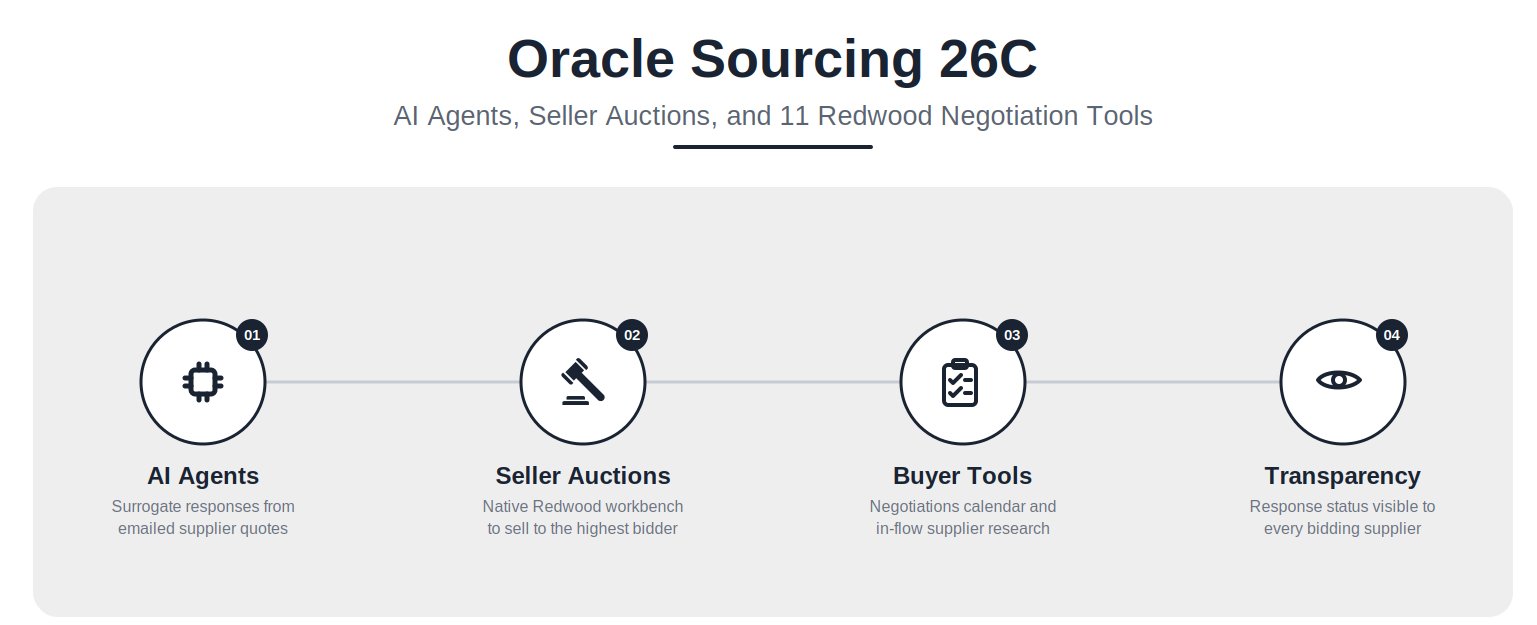
Suppliers do not always respond inside the Supplier Portal. This agent closes that gap. A supplier’s emailed quote can be forwarded to a monitored inbox, where the agent parses the content, drafts a formal negotiation response, and routes it for internal approval before it is submitted on the supplier’s behalf. For sourcing teams working with suppliers who default to email regardless of what the portal expects, this removes a recurring manual data-entry task.
b) Research Suppliers by Products and Services
Natural-language supplier research is more precise in 26C. Search results now return matches based on a supplier’s profile products and services categories, and each suggestion carries a Confidence Rating. That gives buyers a defensible way to judge how strong a match is, instead of treating every returned result as equally relevant.
c) Products and Services Categories for AI Supplier Suggestions
The Add Suggested Suppliers feature now factors in supplier profile categories, not just prior transaction history. That means suppliers with little or no purchase history in Oracle can still surface as strong matches on a negotiation line, provided their profile categories align. This is particularly useful when sourcing a category for the first time or trying to widen a bidder pool beyond the usual incumbents.
2. Run the Negotiation, Your Way
The biggest structural addition in 26C Sourcing is forward seller auctions, a negotiation type that runs in the opposite direction of a typical RFQ. Alongside it, Oracle adds tools that make the negotiation process easier to track from end to end.
a) Manage Seller Auctions
Forward seller auctions are now natively supported in Redwood, with a dedicated workbench for creating and running them. Instead of buyers soliciting the lowest bid, this negotiation type lets an organization sell to the highest bidder, which is the right model for liquidating excess inventory or disposing of retired assets. Organizations that previously handled this kind of sale outside Oracle, through separate auction platforms or manual processes, now have a native option.
b) Respond to Seller Auctions in the Supplier Portal
Suppliers can bid on seller auctions directly from the Supplier Portal, using the same portal they already use for standard negotiations. There is no separate bidding tool for suppliers to learn, which lowers the adoption barrier for this new negotiation type.
c) Use the Negotiations Calendar
The new Negotiations Calendar gives a consolidated, time-based view of milestones and task deadlines across every negotiation a user owns or collaborates on. For buyers juggling multiple concurrent negotiations, this replaces the need to open each negotiation individually to check what is due and when.
3. Faster Building and Control for Buyers
Three smaller but practical updates give buyers more control over collaboration, visibility, and supplier discovery without leaving the negotiation flow.
a) Mark a Collaboration Task as Complete
Collaboration-team members can now complete tasks assigned to them directly from the View, Edit, or Monitor Negotiation pages, using a Complete My Task action. This keeps task management inside the same screens buyers are already working in, rather than routing through a separate worklist.
b) Restrict Supplier Line Access
Buyers can now restrict which negotiation lines a given supplier can view and respond to, so each supplier only sees what is relevant to them. This matters for negotiations covering multiple categories or business units where not every invited supplier should see every line, whether for competitive sensitivity or simple relevance.
c) Research and Add Suppliers in Draft Negotiations
AI-backed, natural-language supplier search is now available directly inside the negotiation flow. Buyers can find and invite suppliers to a draft negotiation without switching to a separate supplier research screen and losing their place, which keeps negotiation setup moving without the usual context switching.
Also Read: Oracle Procurement 26C: Smarter Purchasing with AI and Redwood UX
4. Responses and Awards Get More Transparent
Two updates improve visibility for suppliers during the response stage and streamline what happens after a buyer awards a negotiation.
a) View Competing Supplier Responses in the Portal
Suppliers can now view all competing responses on one page inside the Supplier Portal, including primary, alternate, revised, archived, disqualified, and surrogate responses. Other suppliers’ identities remain hidden throughout, so this adds transparency about how many responses exist and their status without compromising anonymity.
b) Associate an Item to an Awarded Alternate Line
When staging documents after an award, buyers can now attach an inventory item directly to an awarded alternate line. This streamlines fulfillment and requisition allocation for alternate line awards, which previously required more manual linking to get the right item flowing through to procurement.
5. One Bug Fix That Changes How Sourcing Works
Sourcing gets a single behavioural fix in 26C, but it is worth knowing about even though it requires no action to enable.
Latest Negotiation Style Applied When Creating from a Template
Before 26C, if a negotiation style was updated after a template had already been built from it, those changes were not reflected when a new negotiation was created from that template. The negotiation would inherit the outdated style instead. In 26C, the latest negotiation style version is applied automatically, so new or changed style features are always reflected in negotiations created from existing templates. There is nothing to configure here, but teams that maintain a library of negotiation templates should expect templates to now pick up style changes they previously had to rebuild manually to get.
Conclusion:
The 26C update marks a significant step forward in how sourcing teams manage their daily operations. By introducing AI agents to handle emailed supplier quotes and bringing forward seller auctions natively into the Redwood workbench, Oracle is removing much of the manual friction previously tied to negotiations. These enhancements allow procurement professionals to spend less time on routine data entry and more time securing the best possible supplier outcomes.
Navigating a new quarterly release and figuring out which features to prioritize can often feel overwhelming. We at Conneqtion Group have a dedicated team of Oracle Cloud experts ready to help your organization adopt these new sourcing tools smoothly. If you need assistance turning this update into a practical rollout plan, contact us today to see how we can help optimize your procurement processes.
Frequently Asked Questions
- Do the new AI features in Oracle fusion cloud 26C require separate setup?
Both AI features, alternate supplier suggestions on staged documents and category suggestions for description-based lines, work against your organization’s own historical transaction and purchasing data, so their usefulness depends on the quality of that data. Confirm with your Oracle support or implementation team whether any indexing or model preparation steps apply to your instance before rolling them out broadly.
- Will restricting deliver-to locations affect my existing purchase orders and requisitions?
No. Existing documents keep their current locations. The restriction only affects which locations appear as options when users are creating new requisitions and purchase orders going forward.
- Can buyer assignment rules be managed outside the Redwood UI?
Yes. In 26C, buyer assignment rules and approved supplier list statuses can be created and tested on Redwood pages using criteria like business unit, commodity, project, cost center, supplier, and line amount, and they can also be managed in a spreadsheet for bulk updates.