Procurement and finance teams rarely lose sleep over sourcing strategy. They lose sleep over supplier records that were never quite right to begin with: a taxpayer ID that does not match, a registration that stalled without anyone noticing, a business classification entered on autopilot just to get past a required field.
Supplier master data errors are consistently cited as one of the leading causes of payment delays, failed 1099 reporting, and audit findings in enterprise finance organizations. The cost rarely shows up where the mistake was made. A taxpayer ID typo at registration turns into a blocked payment months later. A rushed classification turns into a diversity-spend report that must be corrected and re-submitted. Oracle Fusion Cloud Procurement 26C addresses this directly in the supplier model, tightening the entry point instead of leaving data quality to be caught downstream.
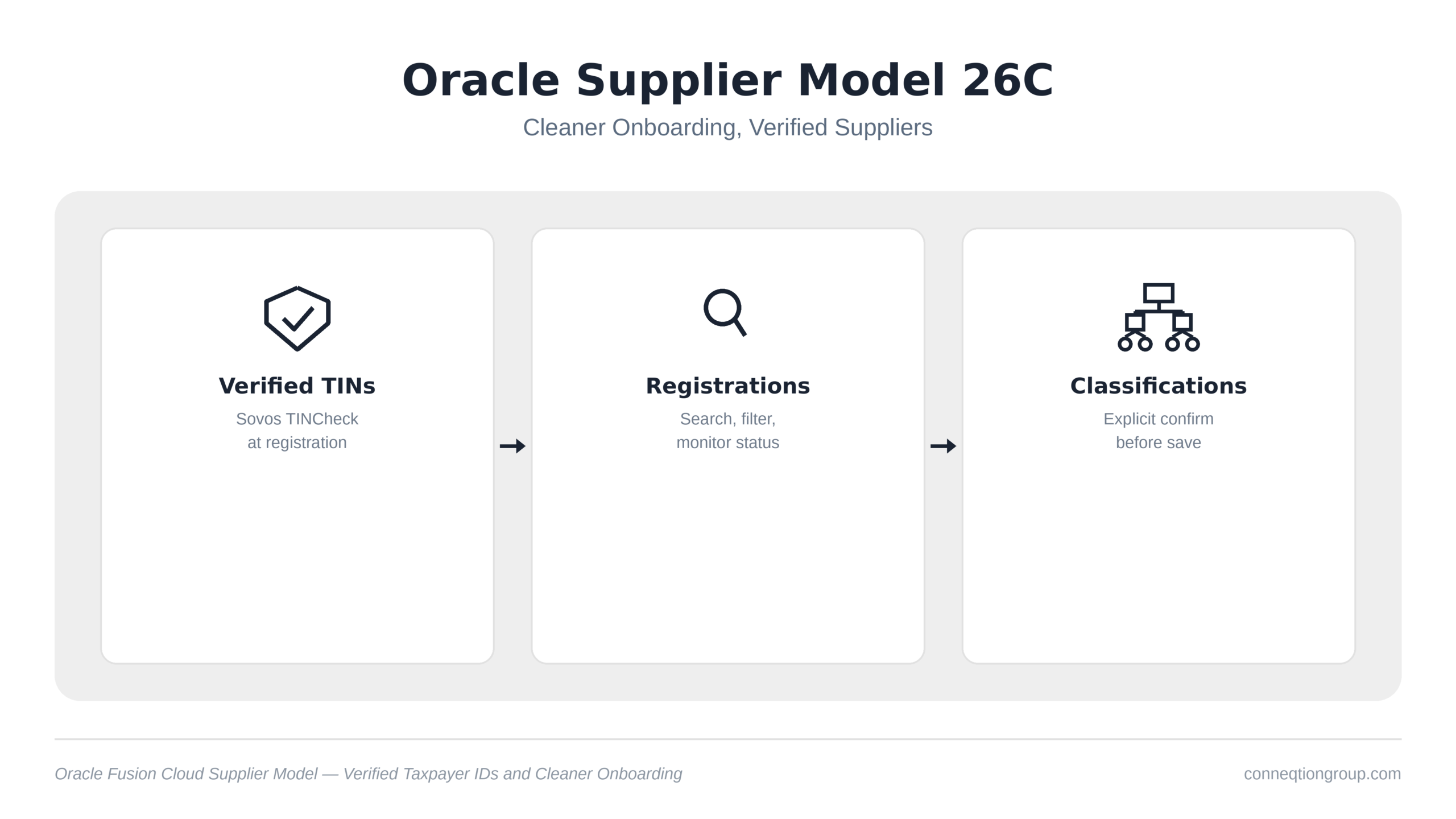
In this blog, we will explore the three features in Oracle Supplier Model 26C that strengthen data quality across the supplier lifecycle: taxpayer ID validation at registration, a redesigned way for administrators to manage and monitor registrations, and an explicit confirmation step for business classifications. We will also cover what changes for approvers, administrators, and suppliers themselves, and what to check before your 26C environment goes live.
Key Features of Oracle Supplier Model 26C
1. Validate Taxpayer ID with TINCheck by Sovos
The first and most consequential feature closes a gap that has existed at the very start of the supplier relationship: nothing was verifying that a US supplier’s taxpayer ID belonged to the business submitting it.
- Oracle now validates US supplier taxpayer IDs during registration through a direct integration with the Sovos TINCheck API, a third-party taxpayer identification verification service.
- The check returns one of three results: Valid, Invalid, or Inconclusive, and that result is surfaced to the approver directly inside the notification they already review, with no separate screen to check.
- Because the validation happens at registration, a mismatched or fraudulent taxpayer ID is caught before the supplier record is approved, not months later during a 1099 reconciliation or a fraud investigation after payments have already gone out.
For finance teams, this is the difference between a control that prevents a problem and a control that only detects one after the fact. Approvers get a clear signal without any extra step added to their existing workflow, which matters for adoption: a check that requires a separate screen or a manual lookup tends to get skipped under deadline pressure, while one that appears where the approver already looks does not.
2. Manage Supplier Registrations
The second feature is aimed squarely at administrators, who have historically had limited visibility into where registrations were getting stuck and why.
- A new Redwood Supplier Registrations search page gives administrators keyword and filter search across all registrations in flight.
- A metrics scorecard breaks registrations down by status: Pending Approval, Not Submitted, Error, and All, so the current state of the registration pipeline is visible at a glance.
- Registrations that failed during supplier creation with an error are now separated from ones simply waiting on approval, which matters operationally since the two require different people to act on them.
Before this page, administrators typically had to run a report or scroll through a flat, unfiltered list to find out where things stood. Separating registrations by status, and specifically isolating errors from normal approval delays, means a stuck registration gets to the right person faster instead of sitting unnoticed in a queue that looks the same as every other pending item.
3. Confirm Supplier Business Classification
The third feature moves past registration and into an ongoing data quality control: how business classifications get entered and edited over the life of a supplier record.
- Creating or editing a supplier’s business classification now requires an explicit confirmation step before the change can save.
- Internal users confirm classifications through Supplier Management, and suppliers confirm their own classifications through the Supplier Portal, so the control applies regardless of who is entering the data.
It is a small piece of deliberate friction. Business classifications feed directly into diversity-spend reporting, and a classification entered carelessly or left at a default value has historically been one of the quieter sources of inaccurate reporting further downstream. Forcing an explicit confirmation before the record saves reduces the number of classifications that need to be corrected later, which is a more expensive fix than getting it right the first time, both in administrative effort and in the credibility of the reporting itself.
Conclusion:
Oracle Supplier Model 26C is not a large release by feature count, but it addresses a problem that compounds quietly over time: bad data entering at the point of supplier registration and spreading into payments, compliance reporting, and audit exposure before anyone catches it. Taxpayer ID validation catches the highest-risk error at the earliest possible point. The redesigned registrations page gives administrators the visibility to act on delays and errors instead of discovering them late. Explicit classification confirmation closes a smaller but persistent gap in reporting accuracy.
Together, these three features do less to add new capability and more to remove the assumption that supplier data will be clean by default. Before your 26C environment goes live, confirm your TINCheck by Sovos subscription is active, review how your team will triage the new Error status on the registrations page, and decide who owns classification confirmation on the supplier side. If your team needs help planning the rollout, Conneqtion Group’s Oracle-certified consultants can help. Get in touch with our team to plan your Oracle Supplier Model 26C update.
Frequently Asked Questions
- What is TINCheck by Sovos and why does Oracle validate against it?
TINCheck is a third-party taxpayer identification number verification service from Sovos. Oracle’s 26C integration checks a US supplier’s taxpayer ID against it during registration and returns Valid, Invalid, or Inconclusive to the approver, helping catch mismatched or fraudulent taxpayer information before a supplier record is approved rather than after payments have gone out.
- What do the statuses on the new Supplier Registrations page mean?
The metrics scorecard breaks registrations into Pending Approval, Not Submitted, Error, and All. Pending Approval and Not Submitted are workflow states waiting on action from an approver or the supplier, while Error specifically flags registrations that failed during supplier creation and need administrator attention, distinct from ones simply waiting in the approval queue.
- Who confirms a supplier’s business classification, the supplier or Oracle?
Both, depending on who is entering the data. Internal users confirm classifications when creating or editing them through Supplier Management, and suppliers confirm their own classifications when entering them through the Supplier Portal. Either way, the record cannot save without that explicit confirmation.